Showing posts sorted by date for query Insert Block. Sort by relevance Show all posts

Thursday, March 19, 2009

DesignCenter 设计中心


Reuse data from another drawing in the active drawing
Saves design time and helps ensure consistency across designs and among designers


 Tree View
 Preview
 Description
Tree View, Preview, Description can be turn off

Insert blocks from DesignCenter
2 ways:
1. Drag the block from DesignCenter into the drawing

2. Double-click on the block

Can set the Scale, Rotation angle

Insert Block 插入图块


Insert blocks from drawing database or any location in the hard disk


1. Specify the name of a block to insert
2. Select a drawing file to insert as a block
3. Preview of the selected block
4. Specify the insertion point on-screen
5. X, Y scaling factors
    Different X, Y scale, the block will scaled proportionately 
6. Specify the rotation angle of the block

Insert a drawing file, the drawing geometry references will come with it

Wednesday, March 18, 2009

Create Blocks 创建图块


Creates a single object out of multiple objects so they appear and behave like a single piece of geometry
Block Definition: Block stored in the drawing database
Block Reference: A visible block definition in a drawing


1. Name: Specify the Block name
2. Base point: Click the button to define the Base point (insert point)
    It's important to specify the base point for the block, otherwise the base point will be 0,0,0
3. Select the options
    Retain: left as individual objects
    Create a similar block     
    Convert to block
    Using now
    Delete
    Pre-create all blocks, use later
4. Behavior
     Annotative: Display same size in the different viewport scale
     Scale uniformly: Same scale on both X, Y axis
     Allow exploding
5. Description
6. Select objects

Tuesday, March 17, 2009

Block 图块

A collection of objects grouped together into a single object

A object form by individual lines, arcs, and polylines, and repeating use in same drawing or other drawing, it's good to convert it to block

Block Behave
1. Retain Original Properties
Create blocks on any layer other than "0" layer

Do not use ByBlock or ByLayer for the properties
Create layer: Screw_T
Color:           Blue
Linetype:      Continuos
Lineweight:   0.3


Insert layer: Assembly
Color:          Green
Linetype:     Dashed
Lineweight:  Default

2. Inherit Properties from Current Layer
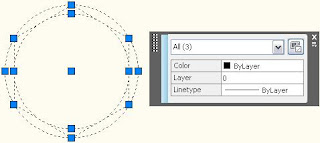
Create blocks on "0" layer

Use ByLayer for the properties
Create layer: 0 layer
Color:           Black
Linetype:      Continuos
Lineweight:   Default


Insert Layer: Assembly
Color:           Green
Linetype:      Dashed
Lineweight:   Default

3. Inherit Properties from Current Property Settings
Create blocks on any layer
 
Use ByBlock for the properties
Create layer: Screw_T
Color:           Black     
Linetype:      Continuos
Lineweight:   0.3


Insert layer: Assembly 
Color:          Green
Linetype:     Dashed
Lineweight:  Default