Showing posts with label Osnap. Show all posts

Monday, March 2, 2009

Object Snap Mode 对象捕捉模式

Endpoint - Line, Arc


Midpoint - Line, Arc


Center - Circle, Arc, Ellipse
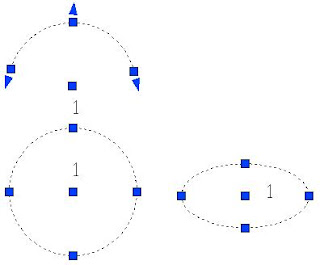
Hover on the edge of circle then move to the center mark

Node - Point object

Quadrant - Circle, Arc, Ellipse


Intersection - Any object overlap or touch


Extension - Line, Arc
Extension from > 1 object

Insertion - Text, Block

Perpendicular - Line, Circle, Arc

Extend through the center point

Tangent - Circle, Arc, Ellipse

OFF Center & Quadrant will be easy to get the Tangent osnap

Nearest - All
It may override other Osnap

Apparent Intersection - All in 3D space

Parallel - Line

Hover on the line to mark it then move away until the // reappear

Object Snap Override 覆盖捕捉模式

Effect only for the next point you specify

Shift + Right-click

Object Snap 对象捕捉

              Running Osnap 运行捕捉模式

Every time you create an object you are required to specify a point or location
It is critical that these points be defined accurately if you expect your drawing to be accurate

Effect of Not Using Object Snaps

Small Circle: look like 2 lines touching each other
Big Circle: Zoom in - 2 lines apart from each other

Settings

1. Right-click on Osnap button
2. Select the Osnap
But each time only can set an Osnap

Osnap - Right-click - Settings...

Set multiple Osnap with the dialog box
Never turn all the object snap modes on at once
It is better to have several object snaps chosen

Osnap only available after command prompts for a point 
Can add to or subtract from your object snap modes without exiting a current command